

October 2024 | Nextworks
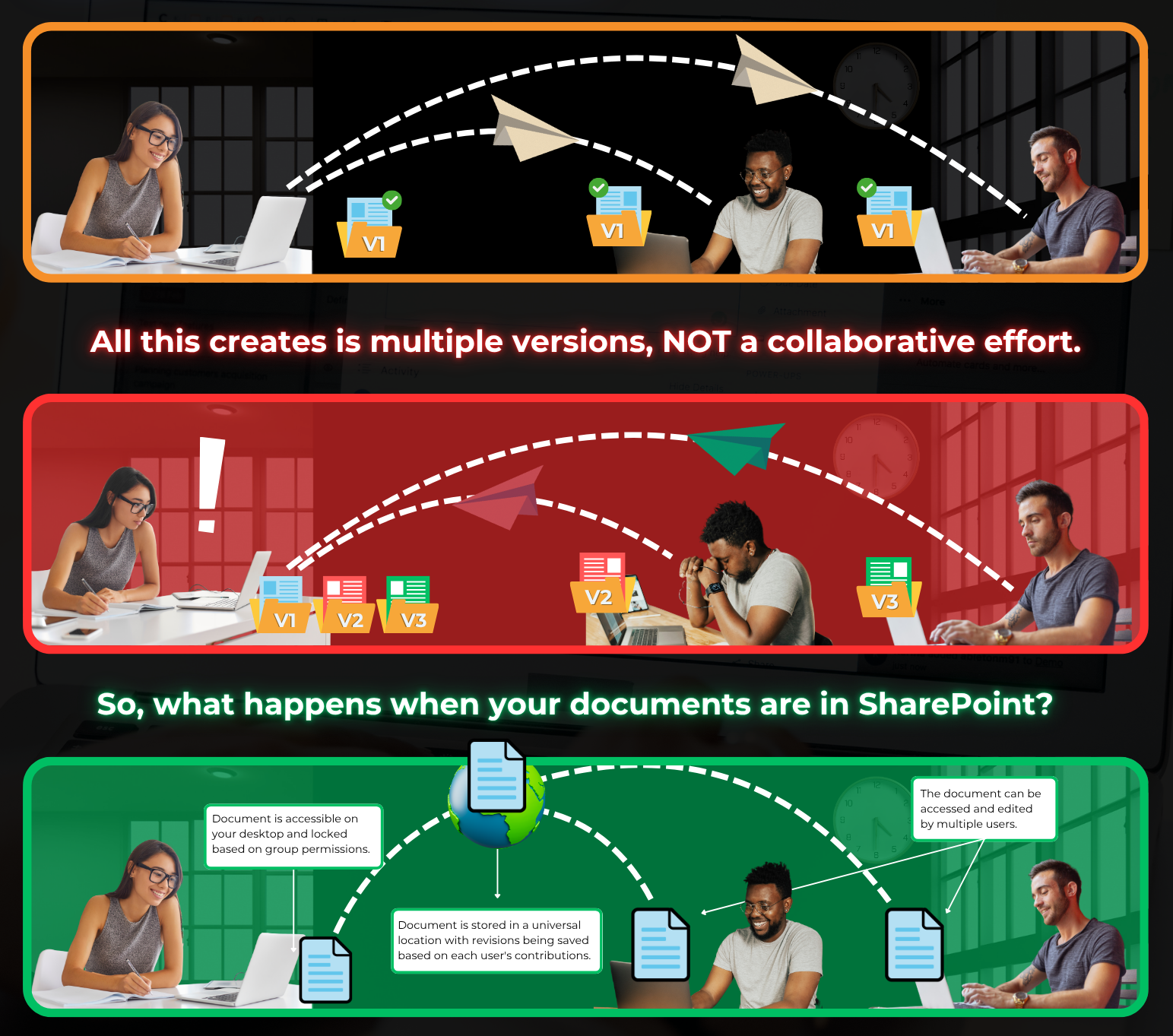
Emailing files back and forth is a relic of the past—slow, messy, and risky. Microsoft SharePoint transforms teamwork by centralizing documents in a secure, real-time hub. Here’s why it’s the smarter choice.
In SharePoint, everyone edits the same live file. No more “Final_v3_Jane_edits.docx” chaos. Version history tracks every change—who edited what, when—so you can restore any prior state instantly.
Multiple people type in the same document simultaneously (Word, Excel, PowerPoint online). See cursors move, comments appear, and updates save automatically. Email? You’re stuck waiting for replies and merging conflicting copies.
SharePoint lets you set granular access: view-only, edit, or none. Files stay encrypted in Microsoft 365; external sharing uses expiring links or guest accounts. Email attachments? Anyone with the file keeps it forever — inside or outside your organization.
Forgot which email had the budget? In SharePoint, search across all files, metadata, and comments in seconds. Tag documents, pin favorites, and get AI-powered insights (with Copilot).
Every action —download, edit, delete— is logged. Perfect for regulated teams (legal, finance, healthcare). Email offers zero traceability.
Link SharePoint files in Teams chats, assign tasks in Planner, or trigger approvals in Power Automate—all without leaving the ecosystem. Email threads get buried and disconnected.
Email is for communication. SharePoint is for collaboration. Ditch the inbox clutter, reduce errors, and work faster—together. One click to share a link beats ten email replies.
Goodbye to IT headaches and hello to IT proficiency. Locally owned and operated, Nextworks has earned a 5-star rating on Google. We guarantee IT cohesion in 30 days or less, or your money back.